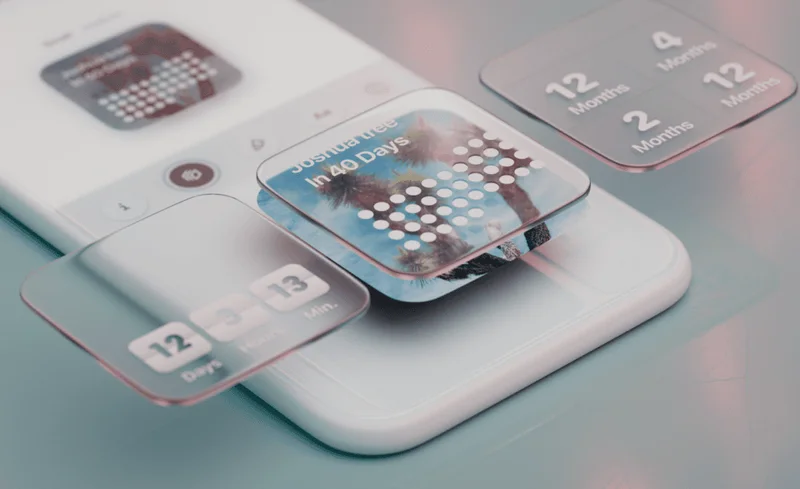

Widgecraft app preview

Widgecraft

A more personal Home Screen

More than just widgets

Make your Home Screen feel like yours.

Add your own personal flair to widgets with stickers you can position exactly where you want them. Widgecraft turns useful little surfaces into something unmistakably yours.

Get it on the App Store

01 A little introduction

Widgecraft

Useful widgets, with your personality.

Widgecraft is a widget customization app for making your Home Screen feel more personal. Bring together the information you want to glance at and the little visual details that make it yours. Start with a widget, explore its look, and add stickers that turn an everyday tool into a small creative project.

02 Made for your everyday

Small details. More possibilities.

01

Your stickers, your layout

Give a useful widget a playful finishing touch. Position stickers where they feel right, build around your favourite colours, and let the layout reflect your own taste. It’s a small space to experiment: a quiet corner of your Home Screen, or something with a little more character.

02

A look that belongs together

Choose fonts, colours, and backgrounds to give your widgets a shared visual language. A global widget theme helps bring the whole Home Screen together, while individual customizations leave room for the details. Keep things calm and coordinated, or make each widget a little different.

03

Personality with a purpose

Make room for the things you actually check. Explore clock and weather widgets, or keep health information such as steps, sleep, and calories nearby. Pick the widget for its purpose first, then make its appearance feel at home alongside your wallpaper and other apps.

04

Start small, make room for more

The free tier includes up to three widgets, giving you space to try the core experience on your own Home Screen. When you want to go further, Widgecraft Plus unlocks unlimited widgets, additional widget types, live stickers, and more customization options. Explore first and find the setup that feels right.

03 Make yourself at home

A few steps to something yours.

  1. Choose your widget

    Open Widgecraft and pick the kind of information you’d like on your Home Screen. Start with one widget you’ll use every day.

  2. Make it yours

    Explore fonts, colours, and backgrounds, then position your stickers. Try a shared theme if you want your widgets to feel like a set.

  3. Give it a home

    Add a Widgecraft widget from your device’s widget gallery. Place it alongside your apps and return to Widgecraft whenever you want a different look.

04 Good to know

Frequently asked questions

What is Widgecraft?

Widgecraft is a Home Screen widget app from Taptics. It combines useful widgets with customizable fonts, colours, backgrounds, and stickers so you can create a more personal setup.

Can I try Widgecraft for free?

Yes. The free tier includes up to three widgets. Widgecraft Plus unlocks unlimited widgets, additional widget types, live stickers, and more customization options. Check the App Store for current purchase options and pricing in your region.

What kinds of widgets can I make?

Widgecraft includes clock, weather, and health widgets, including steps, sleep, and calories. The widget types available to you depend on the app’s current version and your access to Plus features.

Can I make all my widgets match?

Yes. Use a global widget theme for a consistent look across your widgets, then personalize fonts, colours, and backgrounds to suit your Home Screen.

How do I add a Widgecraft widget to my Home Screen?

Create your widget in Widgecraft, then open your device’s Home Screen widget gallery and look for Widgecraft. Choose a widget and add it to your Home Screen.

Which devices support Widgecraft?

Widgecraft supports iPhone, iPad, and Mac. Visit its App Store listing to check the current operating system requirements and compatibility with your device.

A question, an idea, a little help?

You’ll hear from the people who make the app.

Get in touch