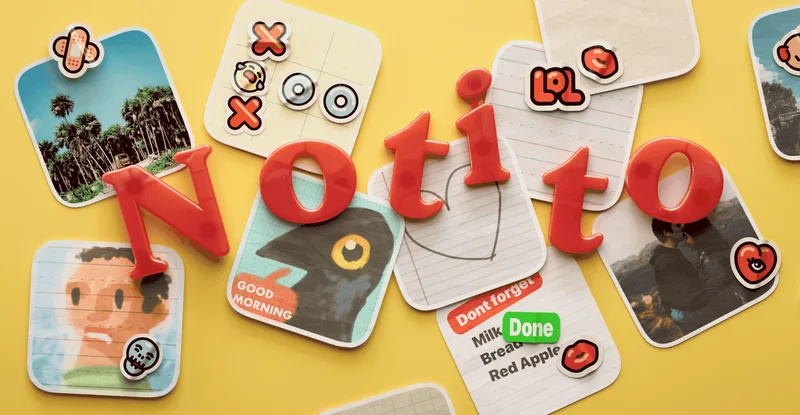

Notito app preview

Notito

Widgets, but with friends

Your Home screen, but less lonely.

A shared fridge door for your iPhone.

Create a group, invite your crew, and start adding to a shared widget. Everyone gets a place to toss in a little flair—or nonsense.

Get it on the App Store

01 A little introduction

Notito

A little shared space for your people.

Notito is a shared Home Screen widget app for friends, family, and the people you want to keep close. Think of it as a fridge door you all get to decorate: a photo from today, a quick doodle, or a note that only your group will understand. Little things, waiting where you’ll see them.

02 Made for your everyday

Small details. More possibilities.

01

Your people, one shared widget

Create a group and invite the people you want in it. Everyone can contribute to the same shared space, turning separate Home Screens into a small point of connection. Make a place for family updates, the group’s running joke, or the friend who always has a photo to share.

02

More than a photo

Post a picture from your camera or photo library, leave a note, or draw a doodle. Add text and stickers to respond to something someone else has shared. There’s room for a thoughtful message and just as much room for something delightfully silly. Your group gives the widget its personality.

03

Connection at a glance

Add Notito to your Home Screen to keep the group’s shared space close. A familiar face or an unexpected doodle can become part of the everyday moments when you pick up your phone. It’s a simple way to leave a little trace of your day for the people you care about.

04

Shared through iCloud

Notito uses iCloud to share the group widget with the people you invite. Everyone in that widget can see what’s posted and add something of their own. Treat it as a space you share together: choose your group, make a little room on your Home Screen, and see what turns up.

03 Make yourself at home

A few steps to something yours.

  1. Make a group

    Open Notito and create a shared group widget. Think of it as a new little corner for your favourite people.

  2. Invite your people

    Invite friends or family to join the group. Every participant can post to the widget, so everyone has a hand in what it becomes.

  3. Leave something small

    Add the Notito widget to your Home Screen, then post a photo, note, or doodle. Give your group something to smile at the next time they pick up their phones.

04 Good to know

Frequently asked questions

What is Notito?

Notito is a group widget app from Taptics. It lets friends and family share photos, doodles, text, and stickers in a shared space on their iPhone Home Screens.

How does a shared Notito widget work?

Create a group, invite your people, and add the widget to your Home Screen. Group content is shared through iCloud, and everyone in the group can contribute.

What can I share with my group?

Share photos from your camera or photo library, draw doodles, and add text or stickers. You can also respond to what other people have posted with your own additions.

Who can see what I post?

Everything posted in a group widget is visible to all participants in that widget. The people you invite can also post, so choose content you’re comfortable sharing with the whole group.

Does Notito use iCloud?

Yes. Notito shares group widget content through iCloud. Your device needs access to iCloud to use the shared experience.

Is Notito available for iPhone?

Yes. Notito is designed for a shared widget experience on iPhone. Check its App Store listing for the current operating system requirements and device compatibility before downloading.

A question, an idea, a little help?

You’ll hear from the people who make the app.

Get in touch